Portable power / 5 min read
USB-C power station or AC power station?
Choose connections around the devices you actually bring, then check the charger, cable, and complete package.
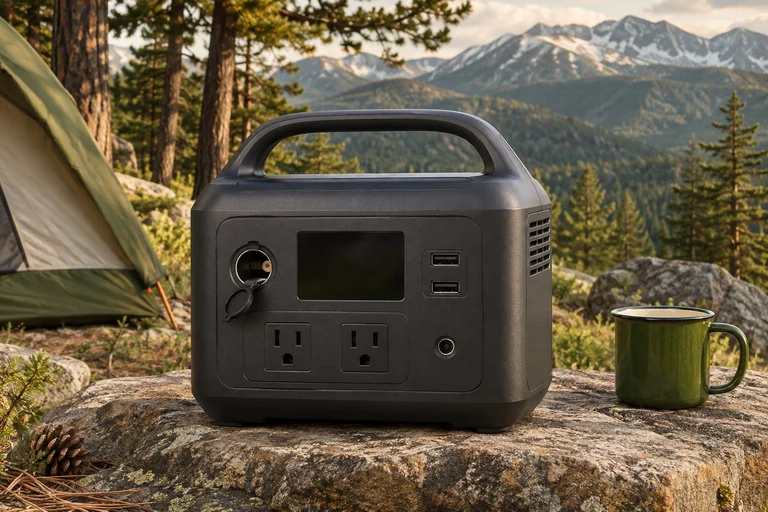
Begin with the plugs in your bag
A phone, camera, laptop, and small light can look like a modest power kit, but they do not necessarily charge in the same way. Lay out the actual devices, their charging leads, and any wall adapters you use at home. Write down which items charge directly over USB-C, which use another USB connection, and which require their own adapter. This inventory makes the first buying decision concrete: do you need an AC outlet at all?
Keep the list tied to a specific weekend. Include the devices you expect to use and a realistic number of charging sessions. Adding hypothetical appliances can turn a small electronics problem into an expensive purchase. Conversely, omitting the camera battery charger because it is small can leave you with a station that has plenty of stored energy but no suitable connection. A useful setup covers the real list with equipment you can identify before departure.
Separate energy from the connection
Battery capacity describes stored energy. Port output describes how quickly energy can be supplied through a particular connection. Neither tells you, on its own, whether a device and cable will work together. Start with the device manufacturer's charging requirements, then check the station's port specifications and the cable rating. A matching plug shape is a starting point for the check, not the complete answer.
Anker's C300 DC is a useful example of a station built around USB and a compatible car-style DC socket. The C300 is a different product with AC outlets. Do not read the DC model's advertised total output as an AC appliance rating. Also check shared limits: several ports can have impressive individual numbers without being able to deliver every maximum simultaneously. Use the model's documented power-distribution information for the actual combination of devices you intend to connect.
Decide whether an AC adapter earns its space
An AC-equipped station can be convenient when an essential device already has a dedicated wall adapter. Keeping that familiar adapter may be simpler than finding and verifying a different charging arrangement. Examples include some camera chargers and older electronics. Check the exact adapter and station together; this guide does not establish compatibility for an unspecified device.
If everything on the list already supports the station's documented DC outputs, an AC outlet may contribute little to this trip. That is a reason to compare the smaller package, not a promise of a particular efficiency improvement. Delivered energy depends on the entire charging path and the equipment involved. Avoid buying an inverter solely because a larger number looks more versatile. Equally, do not remove needed functionality to achieve the smallest possible kit. The decision should survive a rehearsal using your actual equipment.
Count the charging equipment as part of the purchase
Read the package inventory before comparing the final size of two setups. A cable in the box does not mean a wall charger is included. Anker's standard C300 DC listing includes a USB-C cable and requires a suitable USB-C charger for first activation. Check that requirement before leaving home, especially if you have assumed that any small phone charger will establish the intended charging arrangement.
Make a separate list of what must be purchased, borrowed, or packed from home. Include the charger, appropriately rated leads, and any device-specific adapters. Check the manufacturer's permitted charging methods and connectors rather than improvising a chain of adapters. If solar is optional for your weekend, price and pack it as an optional system. Calling a product a solar generator does not establish that a panel, solar lead, or usable sunlight will be available with the selected purchase.
Rehearse simultaneous charging
Set up the kit where you can observe it before relying on it away from home. Connect the devices in the combination you expect to use, check that each shows the desired charging behavior, and make sure the cables can reach without strain. Test the smallest lights and intermittent loads as well as the laptop. A short demonstration with one device cannot establish that the full arrangement behaves the same way.
Read the station's rules for output timeout and low-load shutdown. The C300 DC manual describes conditions under which USB outputs turn off; a tiny light can behave differently from a laptop drawing steady power. Also check how you will read the display and reach the controls in your packed arrangement. Keep operating space consistent with the manual. An organizer that is useful for carrying electronics may be unsuitable for enclosing a station during operation.
Keep the comparison tied to the exact model
Compare the C300 DC, AC-equipped C300, and Explorer 300 as alternatives serving different connection needs. The product pages provide the documented specifications and purchase checks. The Explorer 300 entry explicitly records mixed revision information on the manufacturer's family page. Confirm the selected revision with the merchant rather than copying a specification from a similar name or a different regional listing.
After the trip, note which ports were used, which cables were missing, and how much reserve you actually had. Those observations are more useful for your next purchase than assuming every future outing needs a larger station. Keep a small labeled charging pouch with the kit and return borrowed chargers before storing it. A repeatable packing routine is part of a useful power setup, even when the battery itself changes.
Purchase checklist
- List every required device and its approved charging connection.
- Confirm individual and simultaneous port limits for the exact station.
- Check the included cable and charger inventory, first activation, and recharge method.
- Verify the regional model and any conflicting revision information.
- Rehearse low-load behavior, cable reach, and the complete charging routine.
Sources & further reading
These sources support the factual reference points in this guide. Practical comparisons and packing suggestions are editorial guidance.