Portable power / 5 min read
500 vs. 750 vs. 1,000 Wh for weekend camping
Work out what you need between charges, then compare three battery sizes by measured load, recharge time, and carry weight.
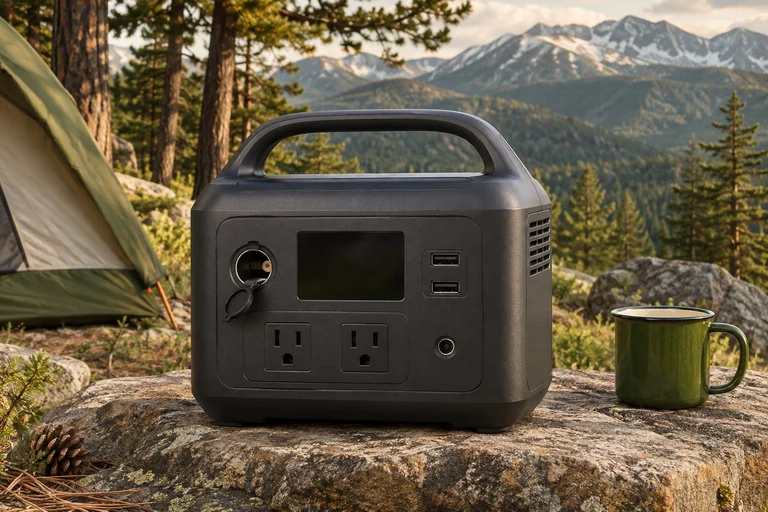
Start with the longest gap between charges
Count the hours from the last reliable outlet to the next. A Saturday drive only helps if the charging setup is compatible and the drive is long enough to add useful energy. A two-night trip with a confirmed Saturday outlet can need less stored energy than a single night followed by an all-day stop.
List everything you expect to plug in. Put essentials in one column and conveniences in another. A late-night light, a work laptop, and a compressor fridge may share a battery, but they place very different demands on it. Set aside a separate charging plan for anything you cannot afford to lose.
Use measured energy when you can
Watts tell you whether a port can supply a load. Watt-hours tell you how much energy that load uses over time. A lamp drawing 8 W for five hours each evening uses 80 Wh over two evenings. If phone charging adds a measured 25 Wh each day, that brings the two-day device total to 130 Wh before any station overhead.
For a cycling appliance, measure a full representative day rather than multiplying the compressor’s label by 24. Keep the measurement point consistent. An AC meter between a fridge and the station captures what the appliance draws at the outlet. It leaves out the inverter’s own consumption. A percentage change on the station over the same interval can help you estimate that full setup’s margin, though the display is an approximation.
Compare three sizes for the same trip
The RIVER 2 Max 500 lists 499 Wh and 500 W rated AC output at 13.2 lb. It makes a useful starting comparison if the main jobs are lights and charging devices and you can leave higher loads at home. Check the exact Max 500 designation; other RIVER 2 Max listings can show a different battery rating.
The RIVER 2 Pro adds capacity to 768 Wh and raises rated AC output to 800 W at about 18.2 lb. The C1000 Gen 2 moves to 1,024 Wh and up to 2,000 W AC output, with a published weight of 24.9 lb. A larger output rating helps only if the planned loads need it. The extra weight matters each time the unit moves from the garage to the vehicle or campsite.
Estimate charging in the time you have
Say the RIVER 2 Pro’s vehicle input actually averages 80 W during a compatible 90-minute drive. That is about 120 Wh at the input before losses. Compare that with the energy you used the previous night. EcoFlow lists 100 W as the vehicle input maximum, so a quick drive is unlikely to refill a deeply depleted station.
Check the vehicle manual for socket limits and when the outlet is powered. Confirm the compatible lead, and follow the station maker’s instructions about charging from a vehicle. If you are counting on solar, compare the panel’s electrical specifications with the station’s input limits and plan for shade and poor weather.
Run the setup you plan to take
Use your actual cables and check which outlets remain on. On the trial, note what was connected, how long you ran it, the starting and ending battery indication, and whether the AC inverter stayed active between loads. Repeat with the device mix you will actually pack. Decide what to unplug first if charging is delayed.
Check both the largest single load and the total of devices that might run at once. If two loads individually fit the rating, they can still exceed it together. Use the continuous rating for planning. Follow the manufacturer’s guidance for starting loads, ventilation, charging temperatures, and placement.
Purchase checklist
Choose the lightest option that covers the measured gap with room for uncertainty, and check how the full package will get back to a useful charge.
- Write down the longest interval without reliable charging and the devices that must stay powered.
- Compare usable energy in your setup and total rated output on the ports you will use.
- Verify US voltage, exact model, and included versus optional charging leads.
- Check ventilation and cable clearance in the planned location. Confirm a secure transport position.
- Pack a fallback for essential devices if the test leaves little reserve.
Sources & further reading
These sources support the factual reference points in this guide. Practical comparisons and packing suggestions are editorial guidance.